Generate a sample selection and data
Sample data can be helpful as you explore the application.
Before you begin
This function is limited to entity managers. See roles for more information.
Generate the data
Navigate to the Entities tab.
Click the name of the entity to use.
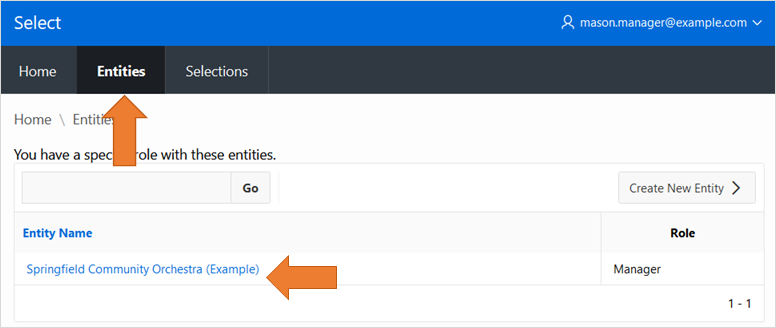
Click the
Generate Sample Databutton on the entity details page.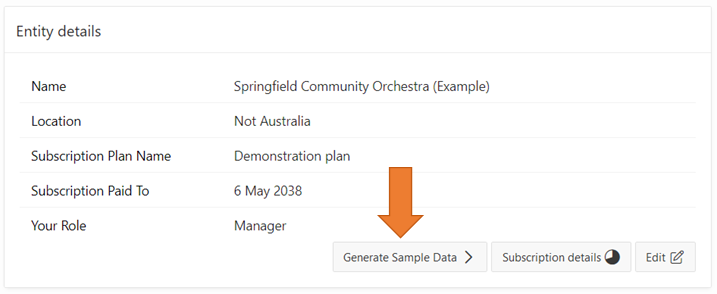
About the sample data
Once you press the button Select shall generate:
A selection process for your entity
Questions and assessment criteria
Submissions with responses to the questions
Assignments and assessments for the submissions
Several inactive demonstration user accounts representing selection personnel, assessors and submission authors.
The generated records are filled with food-realted nonsense text, so they are easy to identify.
Once you are finished with the sample data
You can delete the generated selection, and all its underlying records, at any time.
The generated records do count against your subscription limits, so it is best to delete the generated selection once there is no more use for it.
Topics: P200, P210, P220, P240, P260