Clone a selection
You can create a new copy of an existing selection. This is especially useful if you have already run a selection process once, and now want to run a similar process. The cloned selection includes copies of all the questions, criteria and personnel.
Before you begin
This function is limited to entity and selection managers and editors. See roles for more information.
Activities
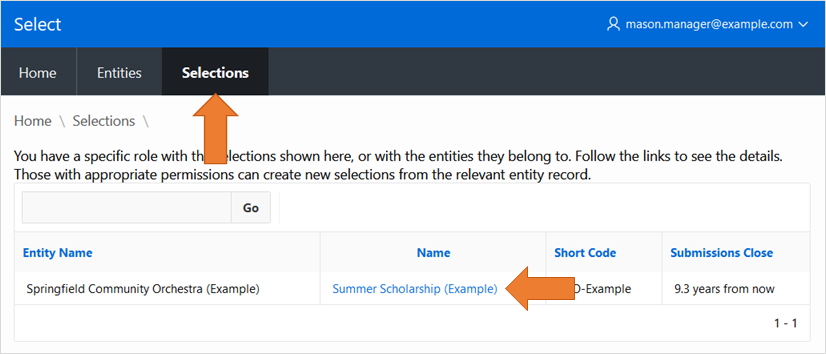
Navigate to the Selections tab.
Click the name of the seletion to use.
In the Selection Details area, click the
Clonebutton.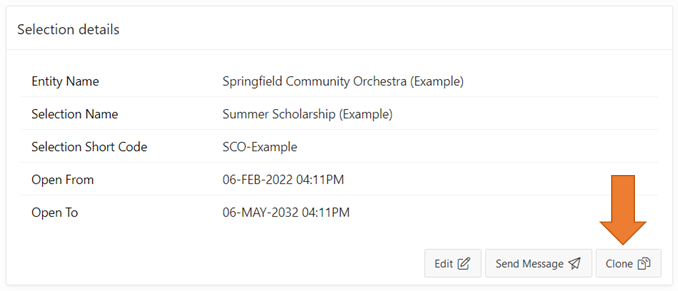
About cloning selections
Cloning creates a new copy of the selection.
The new copy shall differ from the original in some ways:
The selection name will have some random characters added at the end (so you can identify the cloned selection in lists).
The selection short code will be random characters.
The opening and closing dates will be in the past (preventing potential applicants from engaging with the clone).
You will be listed as a Manager of the new selection.
Most of the original details will be copied to the new selection, including:
All the questions
All the criteria
All the personnel
You can edit the new selection as you please once it has been created.
Topics: P310