View submission assessments
The assessment results are compiled and refreshed every time an assessment is completed by an assessor.
Before you begin
You will need to have at least an assessor role to view the individual assessment results.
Actions
Start by navigating to the lodged submission:
- Home > Selections > Selection details > Lodged Submissions > Submission name
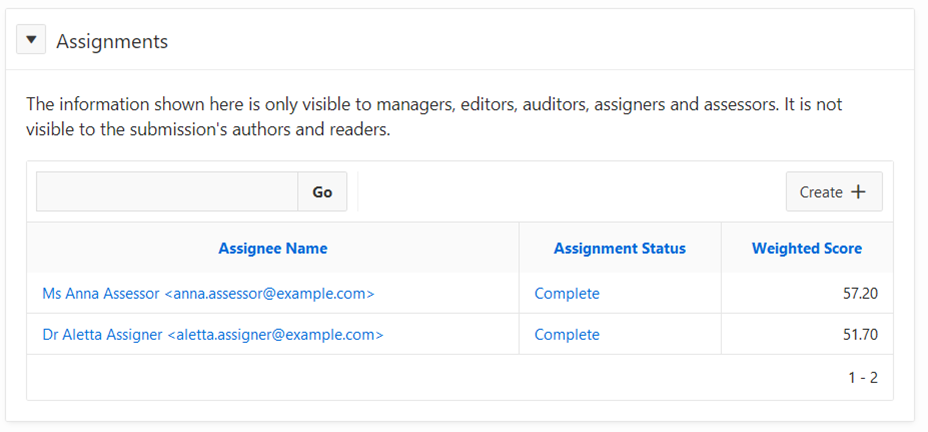
View the Assignments area
For example, the submission shown below has been assessed by two assessors, and the results of each assessment were 57.20 and 51.70.
Topics: P520